en use context compress
Starting from v4.11.0, AstrBot introduced an automatic context compression feature.
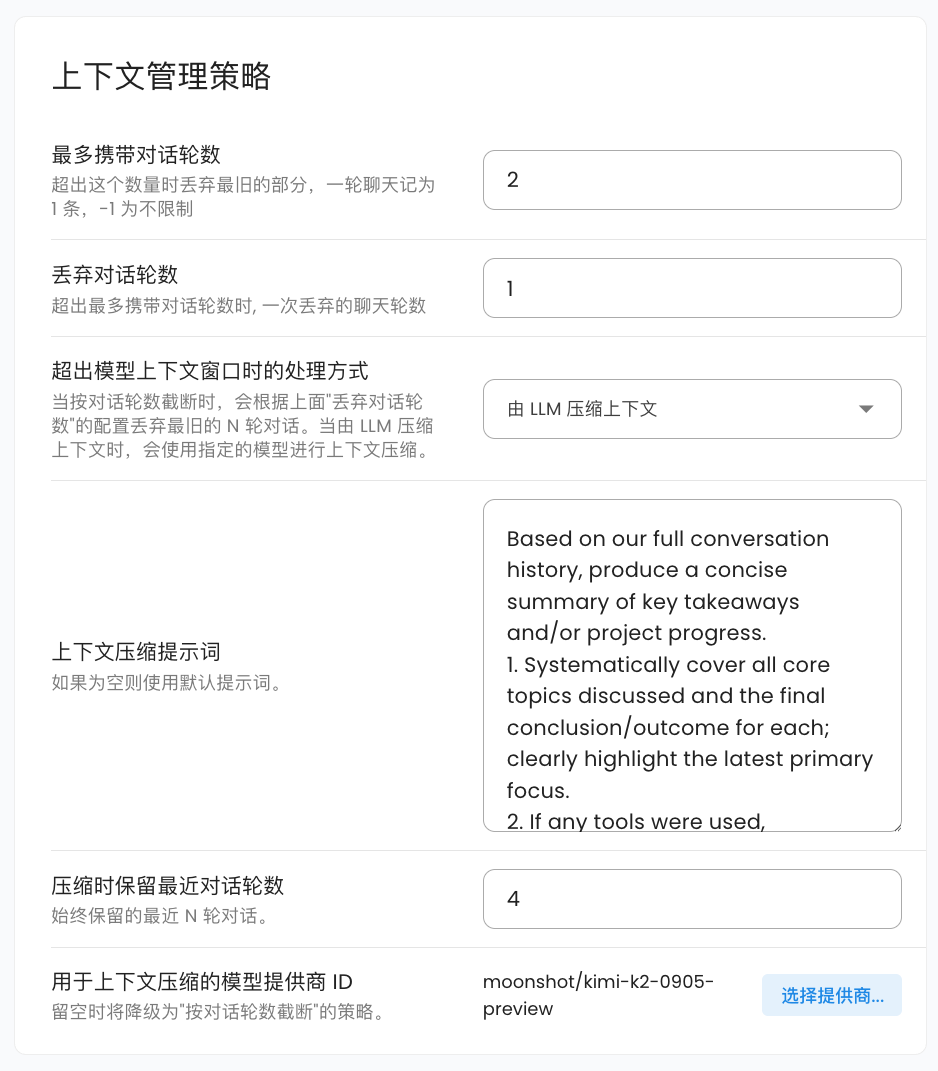
AstrBot automatically compresses the context when the conversation context reaches 82% of the maximum context window length of the conversation model being used, ensuring that as much conversation content as possible is retained without losing key information.
There are currently two compression strategies:
- Truncate by conversation rounds. This strategy simply removes the earliest conversation content until the context length meets the requirements. You can specify the number of conversation rounds to discard at once, with a default of 1 round. This is the default strategy.
- LLM-based context compression. This strategy calls the model itself to summarize and compress the conversation content, thereby retaining more key information. You can specify the conversation model to use for compression; if not selected, it will automatically fall back to the "truncate by conversation rounds" strategy. You can set the number of recent conversation rounds to retain during compression, with a default of 4. You can also customize the prompt used during compression. The default prompt is:
Based on our full conversation history, produce a concise summary of key takeaways and/or project progress.
1. Systematically cover all core topics discussed and the final conclusion/outcome for each; clearly highlight the latest primary focus.
2. If any tools were used, summarize tool usage (total call count) and extract the most valuable insights from tool outputs.
3. If there was an initial user goal, state it first and describe the current progress/status.
4. Write the summary in the user's language.
After one round of compression, AstrBot will perform a secondary check to verify if the current context length meets the requirements. If it still doesn't meet the requirements, it will adopt a halving strategy, cutting the current context content in half until the requirements are met.
- AstrBot will invoke the compressor for checking before each conversation request.
- In the current version, AstrBot does not perform context compression during tool invocations. We will support this feature in the future, so stay tuned.
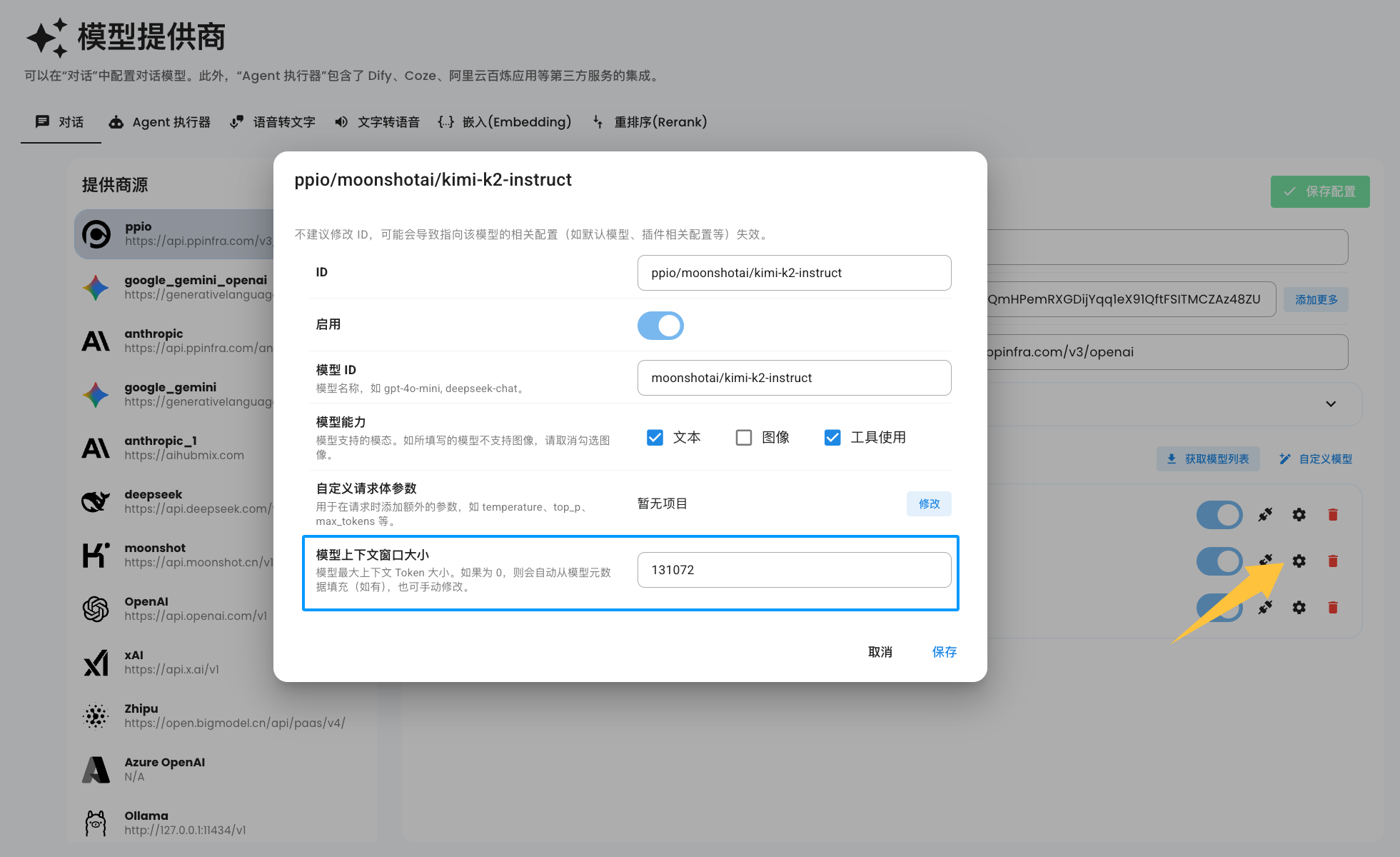
By default, when you add a model, AstrBot automatically retrieves the model's context window size from the API provided by MODELS.DEV based on the model's ID. However, due to the wide variety of models and the fact that some providers even modify the model IDs, AstrBot cannot automatically infer the context window size for all models you add.
You can manually set the model's context window size in the model configuration, as shown in the image below:
Note
If you don't see the configuration option shown in the image above, please delete the model and re-add it.
When the model context window size is set to 0, AstrBot will still automatically retrieve the model's context window size from MODELS.DEV for each request. If it remains 0, context compression will not be enabled for that request.