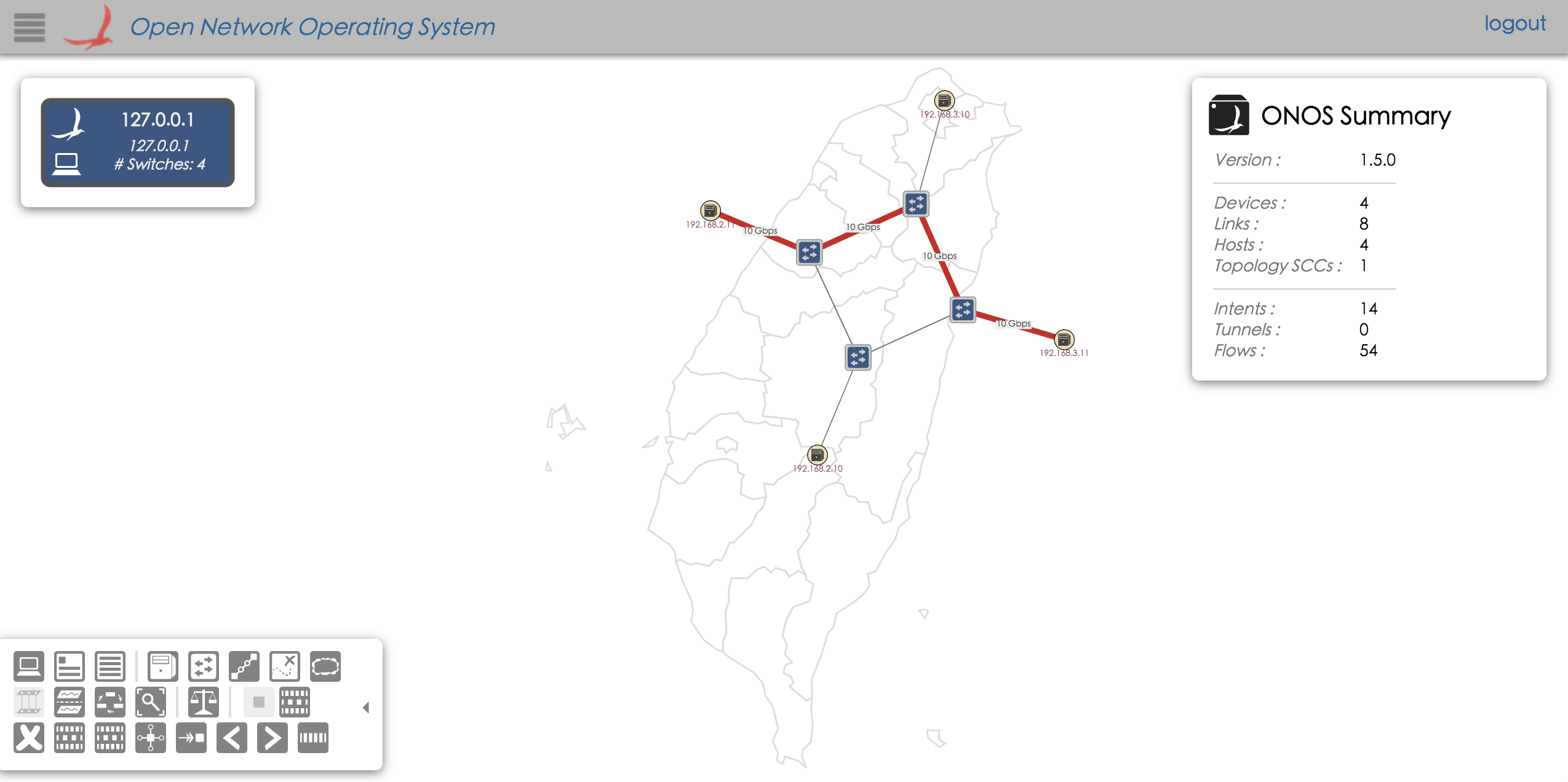
Test SDN IP
After few seconds after we start ONOS and create our mininet topology.
Use routes command in ONOS console, should get all network routes (might be different between Quagga and GobGP version)
onos> routes
   Network            Next Hop
   192.168.4.0/24     192.168.3.11
   192.168.5.0/24     192.168.2.11
Total IPv4 routes = 2

   Network            Next Hop
Total IPv6 routes = 0
In mininet, we can use hostname ip route command to get routing table in router.
mininet> quagga1(or gobgp1) ip route
192.168.1.0/24 dev quagga1-eth0  proto kernel  scope link  src 192.168.1.11
192.168.2.0/24 dev quagga1-eth1  proto kernel  scope link  src 192.168.2.10
192.168.4.0/24 via 192.168.1.12 dev quagga1-eth0  proto zebra
192.168.5.0/24 via 192.168.2.11 dev quagga1-eth1  proto zebra
mininet> quagga2(or gobgp2) ip route
192.168.1.0/24 dev quagga2-eth0  proto kernel  scope link  src 192.168.1.12
192.168.3.0/24 dev quagga2-eth1  proto kernel  scope link  src 192.168.3.10
192.168.4.0/24 via 192.168.3.11 dev quagga2-eth1  proto zebra
192.168.5.0/24 via 192.168.1.11 dev quagga2-eth0  proto zebra
mininet> kreonet ip route
192.168.2.0/24 dev kreonet-eth1  proto kernel  scope link  src 192.168.2.11
192.168.4.0/24 via 192.168.2.10 dev kreonet-eth1  proto zebra
192.168.5.0/24 dev kreonet-eth0  proto kernel  scope link  src 192.168.5.1
mininet> amlight ip route
192.168.3.0/24 dev amlight-eth1  proto kernel  scope link  src 192.168.3.11
192.168.4.0/24 dev amlight-eth0  proto kernel  scope link  src 192.168.4.1
192.168.5.0/24 via 192.168.3.10 dev amlight-eth1  proto zebra
In mininet, we can use host khost from kreonet to ping ahost from amlight.
mininet> khost ping -c4 ahost
PING 192.168.4.10 (192.168.4.10) 56(84) bytes of data.
64 bytes from 192.168.4.10: icmp_seq=1 ttl=62 time=0.906 ms
64 bytes from 192.168.4.10: icmp_seq=2 ttl=62 time=0.077 ms
64 bytes from 192.168.4.10: icmp_seq=3 ttl=62 time=0.452 ms
64 bytes from 192.168.4.10: icmp_seq=4 ttl=62 time=0.089 ms

--- 192.168.4.10 ping statistics ---
4 packets transmitted, 4 received, 0% packet loss, time 3001ms
rtt min/avg/max/mdev = 0.077/0.381/0.906/0.338 ms
Also, we can use iperf to test network.
mininet> ahost iperf -s&
mininet> khost iperf -c ahost
------------------------------------------------------------
Client connecting to 192.168.4.10, TCP port 5001
TCP window size:  264 KByte (default)
------------------------------------------------------------
[  3] local 192.168.5.10 port 34400 connected with 192.168.4.10 port 5001
[ ID] Interval       Transfer     Bandwidth
[  3]  0.0-10.0 sec  15.8 GBytes  13.6 Gbits/sec
And we can see traffic generated by iperf, from KREONET to AmLight