
Plumage is a clean and tidy theme for Pelican, a static site generator.
I initially created this theme for my blog, but it is now generic enough to be used by anyone.
-
Standard Pelican views:
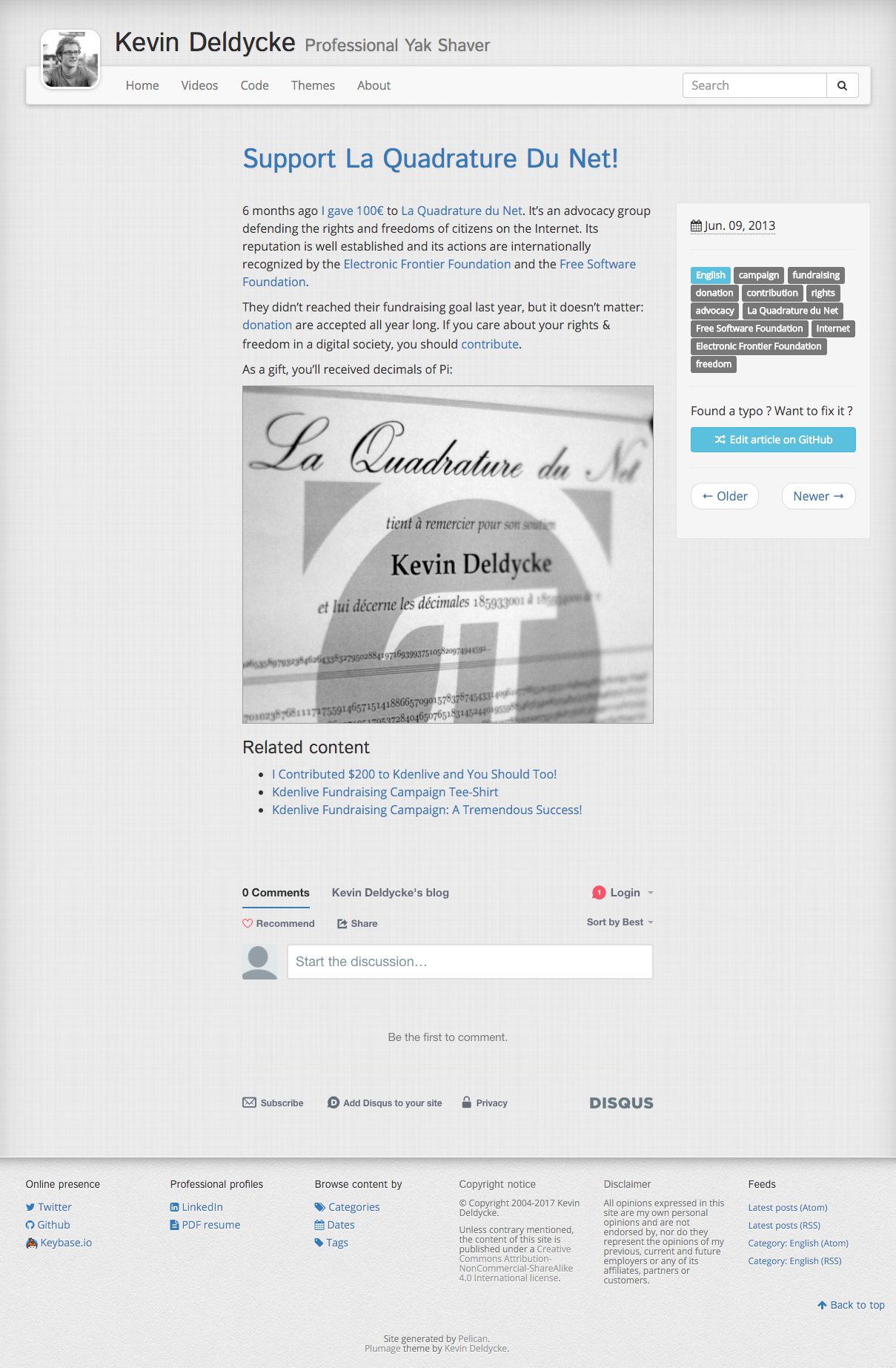
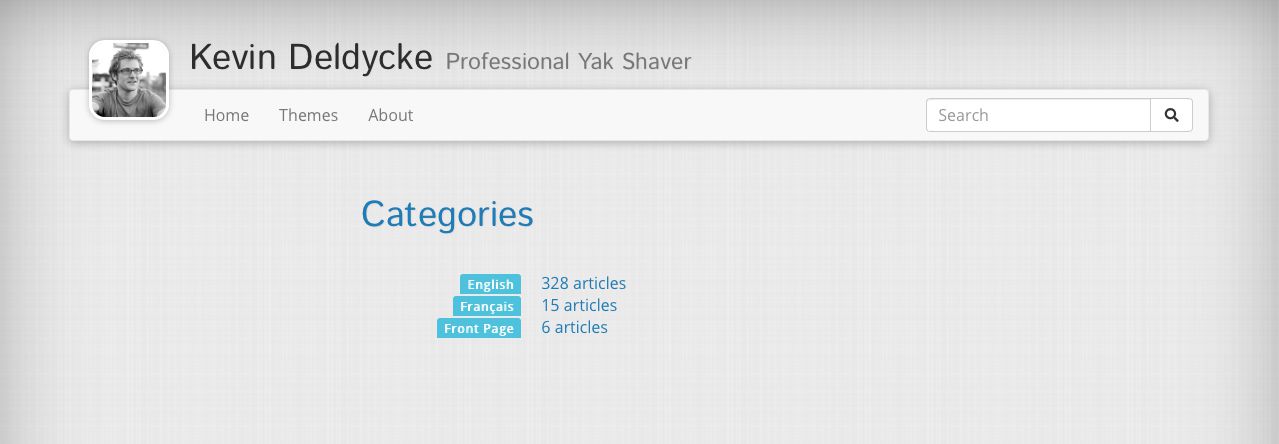
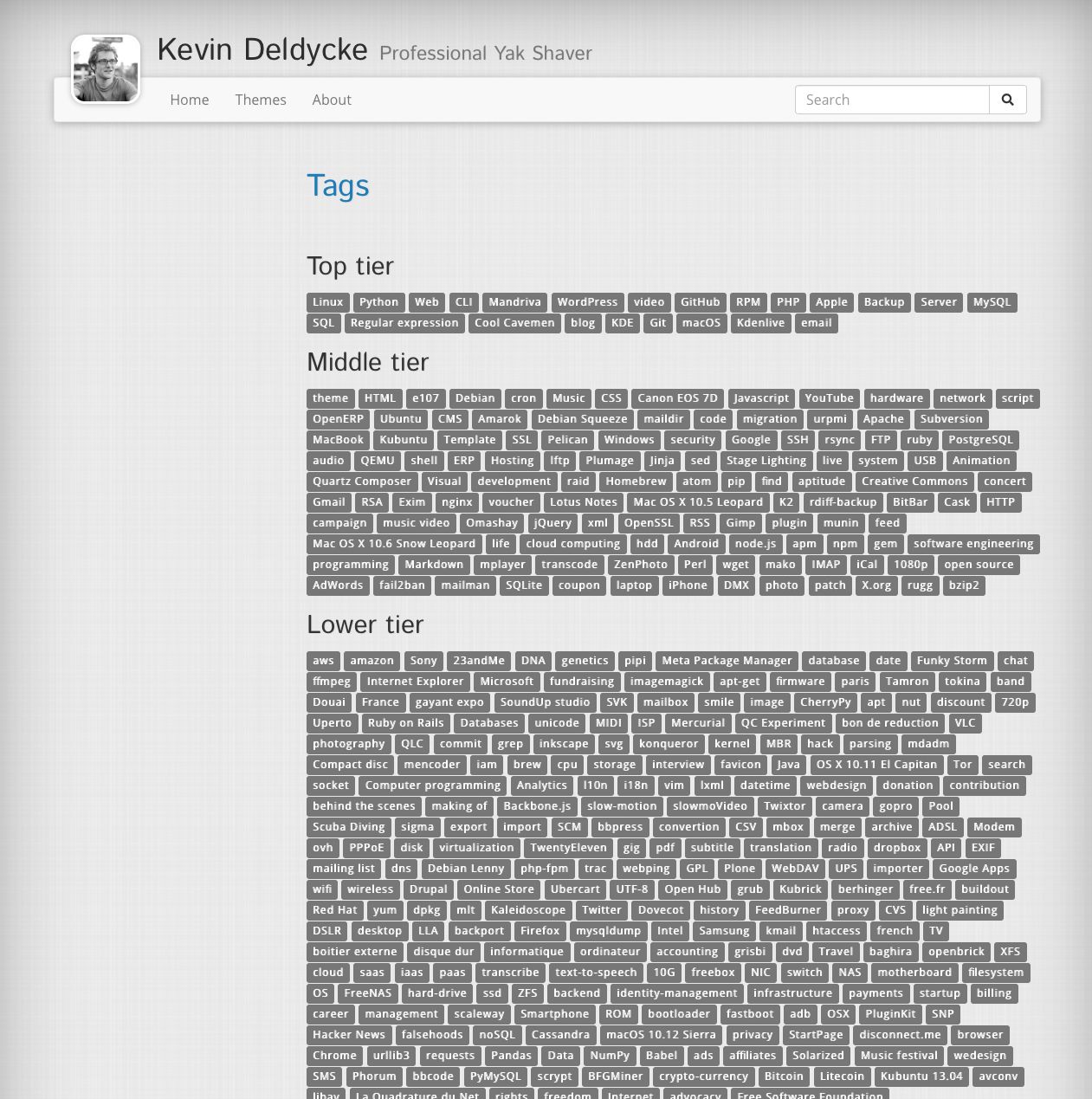
Article Categories Tiered tag list 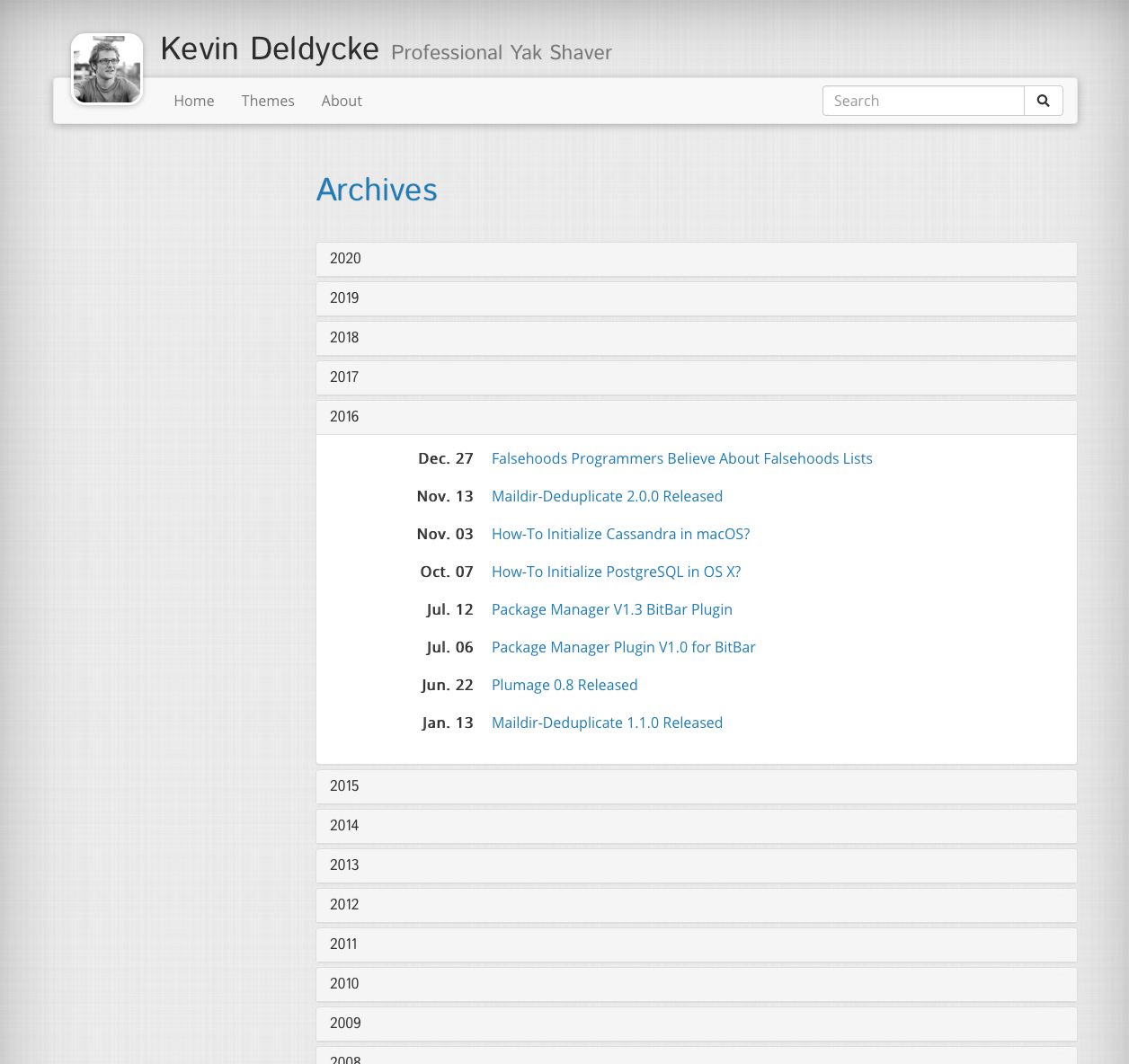
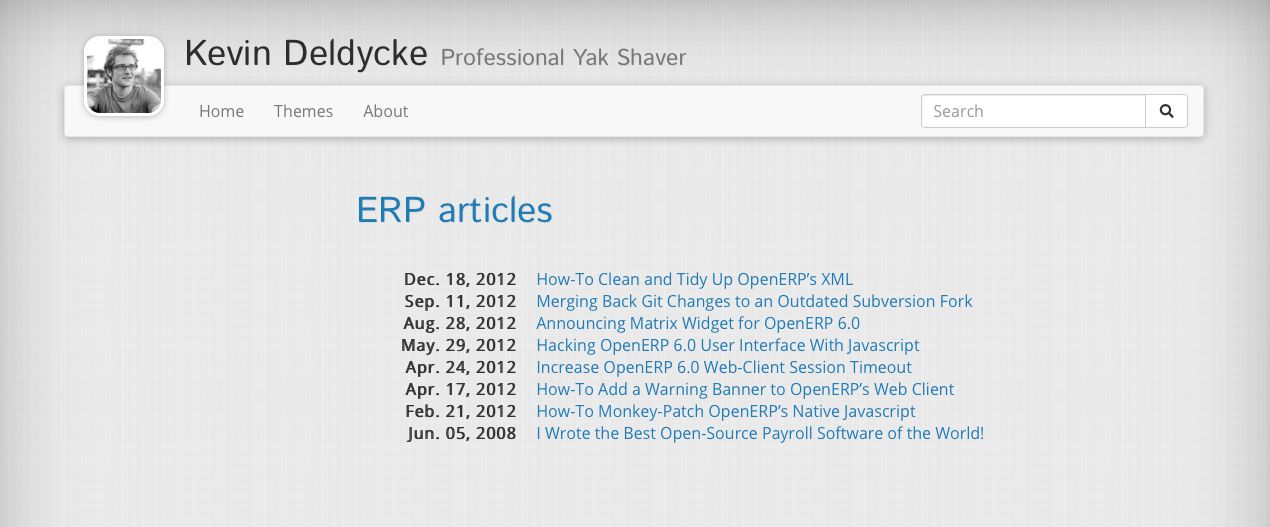
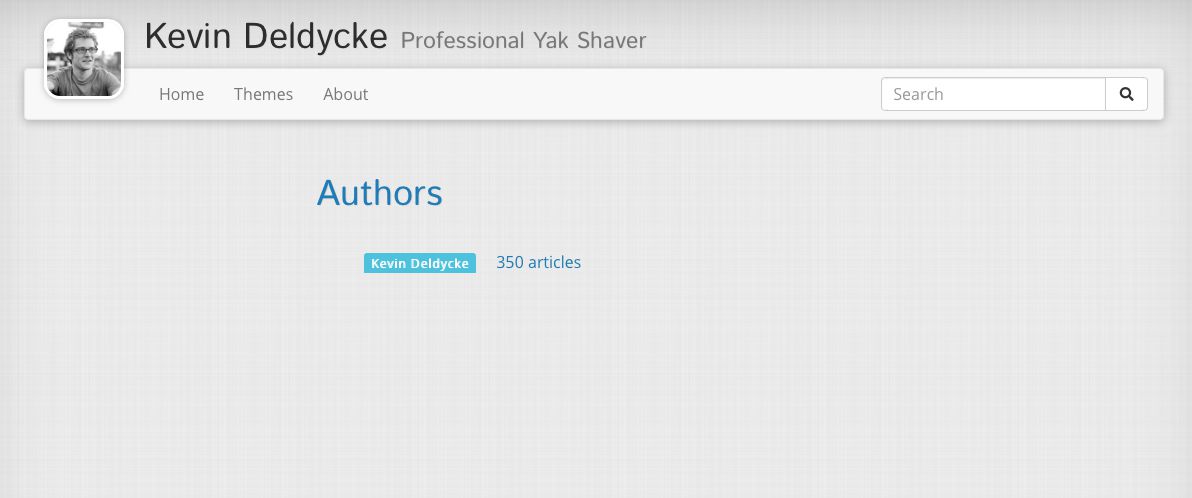
Collapsible yearly archives Tagged articles Authors 
Faceted article browsing -
Projects template:
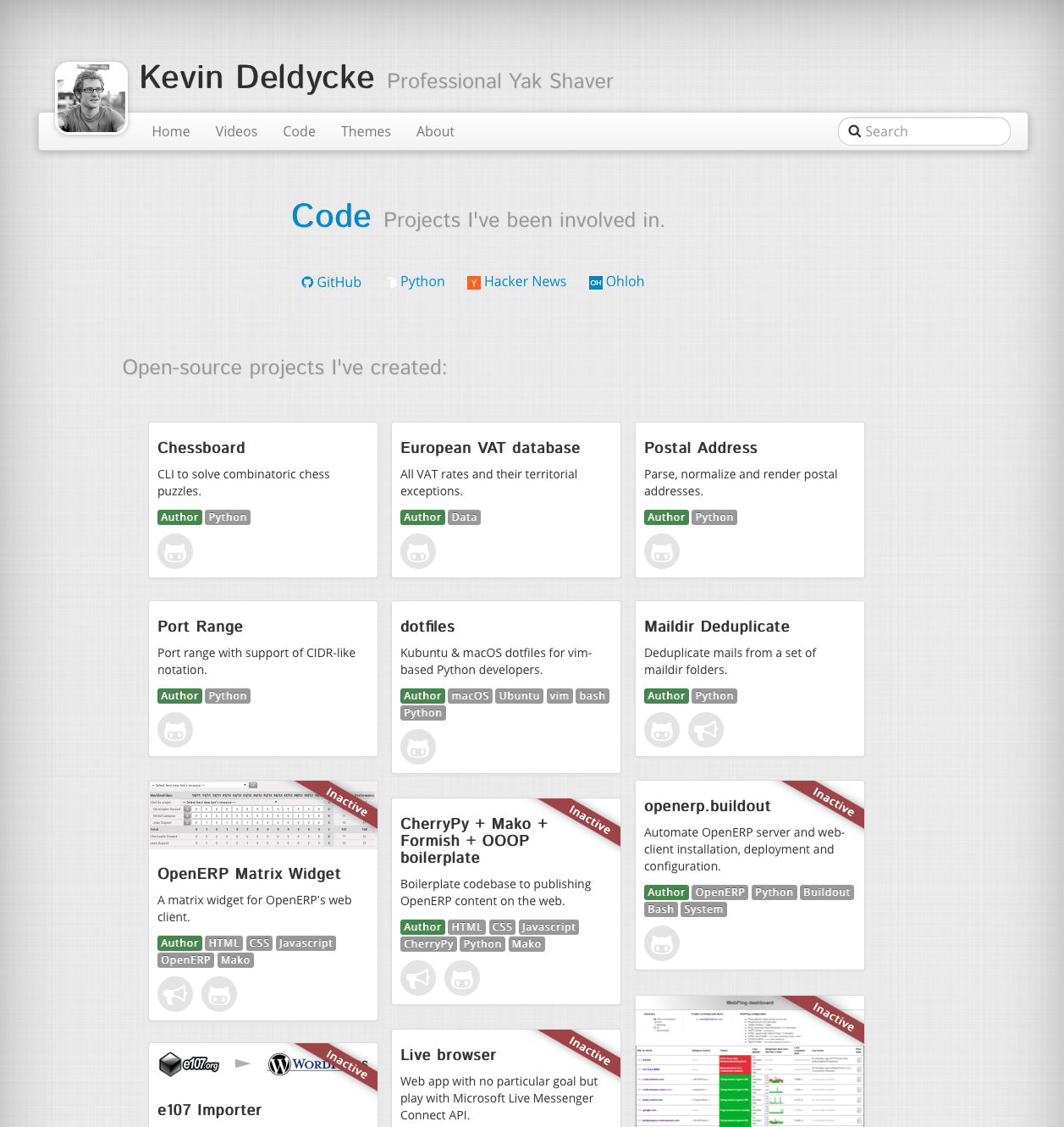
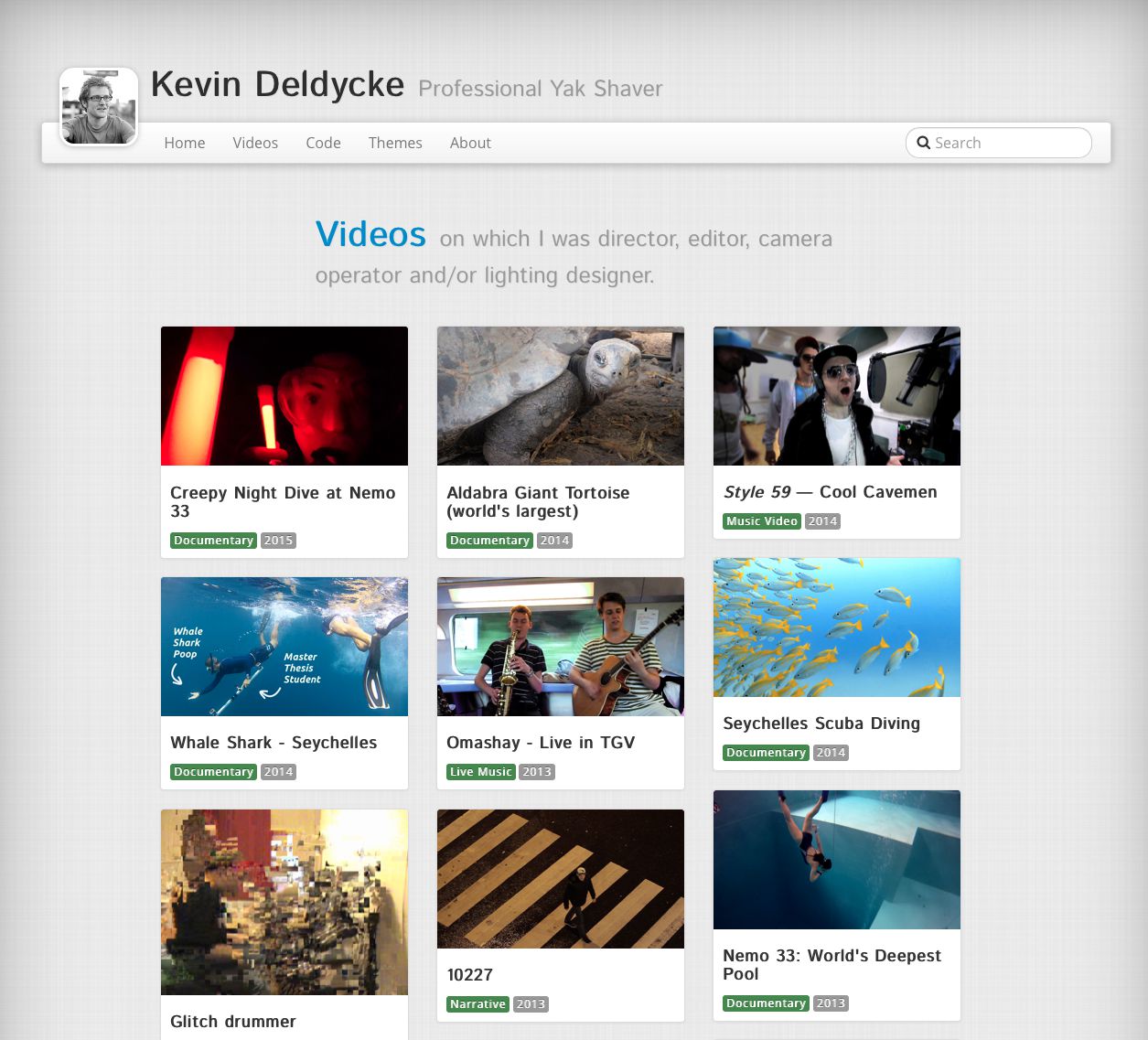
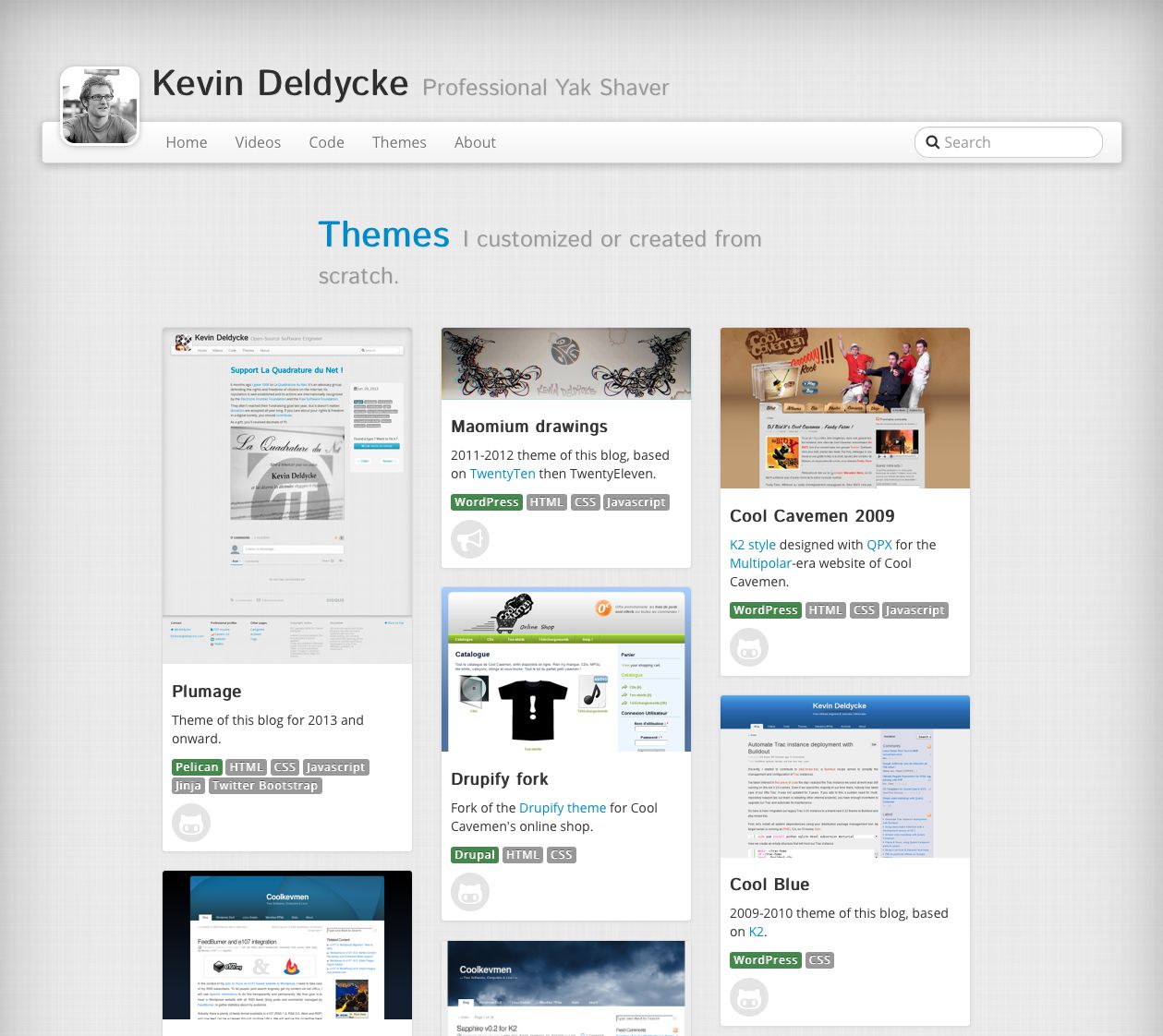
Code showcase (source) Videos showcase (source) Themes showcase (source) -
Based on Bootstrap v5.
-
Site-wide static search via Stork.
-
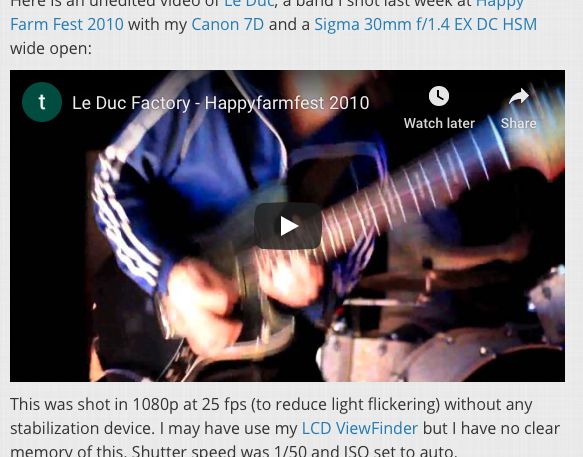
Bare YouTube links in articles gets rendered as embedded videos:
-
Direct link to edit articles on GitHub:

-
Third-party assets are shipped with the theme and served from the site, instead of being fetched from a CDN. Stork is the exception: its script still loads from the project's own release host when
STORK_SEARCHis on. -
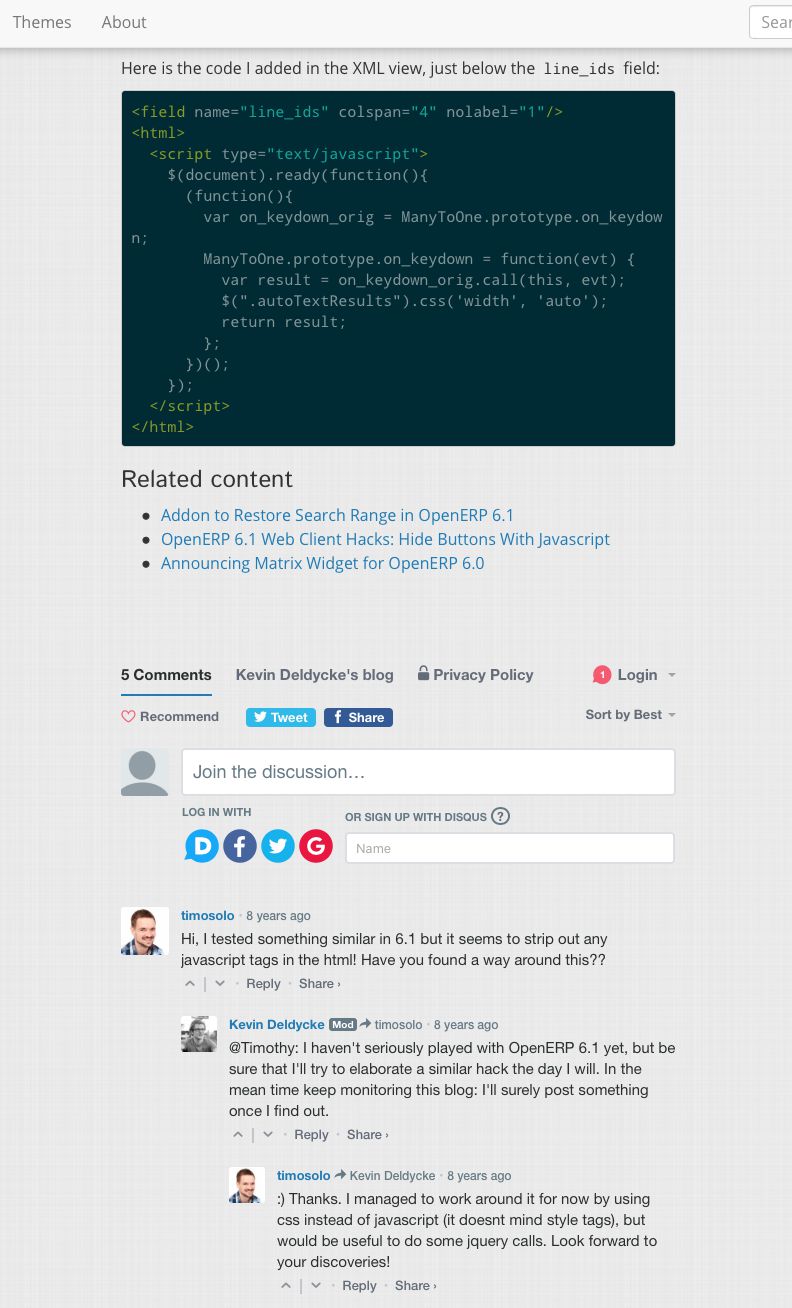
Disqus integration:
Plumage has built-in support for the following plugins and extensions:
| Plugin name | Type | Status | Notes |
|---|---|---|---|
pelican-myst-reader |
Pelican plugin | Required | Parses the site's Markdown, and adds MyST's directive syntax on top of it. |
pelican-neighbors |
Pelican plugin | Optional | Previous and next article links at the bottom of an article. |
pelican-related-posts |
Pelican plugin | Optional | Falls back to this when pelican-similar-posts is not installed. |
pelican-search |
Pelican plugin | Optional | Required by STORK_SEARCH. |
pelican-similar-posts |
Pelican plugin | Optional | Takes precedence over pelican-related-posts. |
pelican-webassets |
Pelican plugin | Required | Compiles the theme's stylesheets. |
typogrify |
Pelican builtin | Optional | Style ampersands. |
Both required plugins are installed as dependencies of the theme, and are namespace plugins, so they autoload as long as your site does not set PLUGINS explicitly.
Python Markdown extensions no longer apply: pelican-myst-reader claims every Markdown file extension Pelican's own reader answers to, so Python Markdown never sees a file. Admonitions come from MyST directives instead, and heading permalinks from the reader's Sphinx renderer.
Plumage is a dependency of your site rather than a tool of its own, so it goes into the same environment as Pelican. With uv managing a site that has a pyproject.toml:
$ uv add plumage
Outside a uv project, install it into the site's virtual environment instead. uv pip picks up the .venv of the current directory, so there is nothing to activate:
$ uv venv
$ uv pip install plumage
Then, once you're done installing the plumage module, update your pelicanconf.py file to reference the module:
import plumage

THEME = plumage.get_path()
On first run, Plumage will try to install Node.js package dependencies via the npm CLI:
$ uv run -- pelican --verbose ./content
(…)
WARNING: postcss CLI not found.
-> Install Plumage's Node.js dependencies from (…)/plumage/package.json:
  |   {
  |     "name": "plumage-webassets-pipeline",
  |     "description": "Plumage dependencies for the webassets compilation pipeline.",
  |     "dependencies": {
  |       "autoprefixer": "^10.5.4",
  |       "bootstrap": "^5.3.8",
  |       "bootstrap-icons": "^1.13.1",
  |       "masonry-layout": "^4.2.2",
  |       "postcss": "^8.5.25",
  |       "postcss-cli": "^11.0.1"
  |     }
  |   }
  |

up to date, audited 72 packages in 1s

found 0 vulnerabilities
-> postcss CLI found at (…)/plumage/node_modules/.bin/postcss
(…)
Plumage can be customized by adding these optional parameters to your
pelicanconf.py file:
| Setting name | Default value | Description |
|---|---|---|
ANALYTICS |
Arbitrary markup injected at the top of every page's <head>, for whichever analytics provider you use. |
|
ARTICLE_EDIT_LINK |
Generate an edit link besides each article. Can use %(slug)s to include dynamic article's slug in the link. |
|
CODE_STYLE |
"monokai" |
Pygments' style ID. Choose one from uv run -- pygmentize -L styles. |
COPYRIGHT |
Additional copyright statement to add in the third column of the footer. | |
DISCLAIMER |
Override the disclaimer notice that gets displayed at the fourth column of the footer. | |
DISQUS_SITENAME |
Pelican can handle Disqus comments. Specify the Disqus sitename identifier here. | |
FAVICON_LINKS |
True |
Fetch link's icons from Google's favicons webservice. |
GOOGLE_ANALYTICS |
Set to a Google tag ID to have the gtag.js snippet emitted. Prefer ANALYTICS for anything else. |
|
LAYOUT |
Set to "full-width" to drop both sidebars and let the content span the whole page. Also settable per-template, as projects.html does. |
|
LEFT_SIDEBAR |
HTML content to put as-is in the left sidebar. | |
LINKS_WIDGET_NAME |
"Links" |
Allows override of the name of the links widget. |
LINKS |
A list of tuples (Title, URL) for links to appear in the second column of the footer. | |
MANUAL_LINKS |
When enabling this, you must pass the links (in LINKS & SOCIAL settings) not as tuples anymore, but as list, where every entry is formatted as you like | |
MENUITEMS |
A list of tuples (Title, URL) for additional menu items to appear at the beginning of the main menu. | |
RIGHT_SIDEBAR |
HTML content to put as-is in the right sidebar. | |
SITESUBTITLE |
A subtitle to appear in the header. | |
SITE_THUMBNAIL_TEXT |
Text displayed behind site's thumbnail. | |
SITE_THUMBNAIL |
Site's thumbnail URL as displayed in the header. Should be a square image of at least 80x80 pixels. | |
SOCIAL_WIDGET_NAME |
"Social" |
Allows override of the name of the “social” widget. |
SOCIAL |
A list of tuples (Title, URL) to appear in the first columns of the footer. | |
STORK_SEARCH |
False |
Activate Stork static search engine. Requires the official Pelican's search plugin. |
Most of these parameters are similar to notmyidea's
(Pelican's default
theme). For usage example, please have a look into my own pelicanconf.py
.
The theme is also sensible to this list of standard Pelican parameters :
ARCHIVES_SAVE_ASAUTHORAUTHOR_SAVE_ASAUTHORS_SAVE_ASCATEGORIES_SAVE_ASCATEGORY_FEED_ATOMCATEGORY_FEED_RSSDEFAULT_LANGDEFAULT_PAGINATIONDISPLAY_PAGES_ON_MENUDISPLAY_CATEGORIES_ON_MENUFEED_ALL_ATOMFEED_ALL_RSSFEED_ATOMFEED_DOMAINFEED_RSSPAGINATION_PATTERNSSITENAMESITEURLTAG_FEED_ATOMTAG_FEED_RSSTAGS_SAVE_AS
Point THEME_TEMPLATES_OVERRIDES at a directory of your own, then extend a shipped template instead of copying it. base.html exposes these blocks:
| Block | Default content |
|---|---|
content |
Empty. The main column. |
extra_css |
Empty. Rendered after the theme's own stylesheet. |
extra_js |
Empty. Rendered after the theme's own scripts. |
footer |
Link columns, copyright, disclaimer and feeds. |
head |
Empty, and rendered last in <head>, so an override appends to it rather than replacing it. No super() needed. |
header |
Site thumbnail, title and subtitle. |
html_lang |
DEFAULT_LANG. Overridden per entry, so keep any override on a single line: it renders inside an attribute value. |
left_sidebar, right_sidebar |
Empty. |
meta_description |
SITESUBTITLE. Overridden per entry from its Description: metadata, falling back to its summary. |
nav |
Navigation bar and search box. |
title |
Home, joined with SITENAME. |
top_center |
Empty. Sits above the main column and lines up with it. |
On top of those, index.html adds content_title, page.html adds page_content, and projects.html adds project_pre_content and project_post_content.
Templates can also read two variables the theme sets for itself: PELICAN_VERSION and PLUMAGE_VERSION, both of which the footer's generation details block displays.
Syntax highlighting is produced by Pygments and needs no configuration. Fence a block with a language and it is highlighted:
```python
print("hello")
```
The stylesheet for the CODE_STYLE you picked is compiled into the theme's CSS bundle, so there is no extra <link> to add and no pygmentize command to run. CODE_STYLE defaults to monokai, and any Pygments style name works.
The theme also normalizes the markup around code blocks before styling them. Depending on the document, MyST renders a block either as a .highlight container or as a bare <pre class="code ... literal-block">, and every Pygments stylesheet only selects tokens through the former. Plumage rewrites the second shape into the first at generation time, so highlighting does not depend on which renderer a given page happened to use.
Directive fences are styled as Bootstrap alerts out of the box:
```{note}
Body text.
```note, tip, hint and info render as blue alerts, warning, attention, caution and important as yellow, danger and error as red.
Bootstrap's remaining alert variants are reachable as well: a primary, secondary, success, light or dark class on an admonition maps onto the matching alert-*. The generic admonition directive is what attaches one, through its :class: option:
```{admonition} Shipped
:class: success

Body text.
```
The alternative :::{note} spelling, which avoids nesting problems inside fenced code, comes from a MyST extension the reader enables for only one of its two renderers. A document handed to Sphinx gets it; a document handed to docutils renders the fence as plain text. Turn it on for both, or the spelling works on the documents carrying an intra-site link and renders as literal text on the rest:
MYST_DOCUTILS_SETTINGS = {"myst_enable_extensions": ["colon_fence", "deflist"]}
MYST_SPHINX_SETTINGS = {"myst_enable_extensions": ["colon_fence", "deflist"]}
deflist is named alongside it on purpose. The reader merges these settings over its own defaults one key at a time, so setting myst_enable_extensions replaces the whole set instead of adding to it, and the Sphinx renderer's default set holds both extensions. Leave deflist out and definition lists stop rendering on every document Sphinx handles.
TODO: document all kind customization below
The theme does not try to implements tricks and optimization beyond reasonable efforts.
This was attempted in the past which limited success. That's because it is hard to find up-to-date and maintained projects in the Python ecosystem.
Instead, I advise relying on external all-in-one optimization tools like Jampack.
After a build, just call it on the generated static content like so:
$ npx @divriots/jampack ./output
The official Pelican's search plugin needs to
be installed.
TODO: Activate search field automatically if the plugin is present.
If you need to work both on the content of your website and the theme, you need to:
-
Get a local copy of the theme outside your website virtualenv:
$ cd .. $ git clone https://github.com/kdeldycke/plumage.git $ cd ./my-pelican-website -
Change the
plumagedependency in you website'spyproject.tomlfrom:dependencies = [ ... "plumage <anything>", ... ]
To:
dependencies = [
    ...
    "plumage",
    ...
]
-
Also add this new section in the same
pyproject.toml, to forceuvto pick up the latest local copy:[tool.uv.sources] plumage = { path = "../plumage", editable = true }
The suite covers settings validation, the post-generation HTML transforms, and the markup the templates produce. It renders templates directly, so it needs neither a generated site nor the npm toolchain:
$ uv run --group test -- pytest
This software is licensed under the GNU General Public License v2 or later (GPLv2+).
Copyright © 2012-2026 Kevin Deldycke and contributors.
The theme embed copies of some external software, scripts, libraries and artworks.
Three files under plumage/static/ are copies taken from the npm packages listed in plumage/package.json, committed so a generated site can serve them without the npm tree:
| Vendored copy | npm package | License |
|---|---|---|
static/fonts/bootstrap-icons.woff2 |
bootstrap-icons |
MIT |
static/js/bootstrap.bundle.min.js |
bootstrap |
MIT |
static/js/masonry.pkgd.min.js |
masonry-layout |
MIT |
The rest are artworks:
Fabric (Plaid)
Copyright © 2012 James Basoo
Distributed under a Creative Commons Attribution-ShareAlike 3.0 Unported license
Source: https://subtlepatterns.com/fabric-plaid/
Cream paper
Copyright © 2012 Devin Holmes
Distributed under a Creative Commons Attribution-ShareAlike 3.0 Unported license
Source: https://subtlepatterns.com/cream-paper/
Feather-alt icon v5.1.0
Copyright © 2020 Font Awesome project
Distributed under a Creative Commons Attribution 4.0 International license
Source: https://fontawesome.com/icons/feather-alt?style=solid
Macro shot of White Feather
Source: https://unsplash.com/photos/Sw7f58YJbc0