




 ████████╗██╗   ██╗███╗  ██╗███╗  ██╗███████╗██╗
 ╚══██╔══╝██║   ██║████╗ ██║████╗ ██║██╔════╝██║
    ██║   ██║   ██║██╔██╗██║██╔██╗██║█████╗  ██║
    ██║   ██║   ██║██║╚████║██║╚████║██╔══╝  ██║
    ██║   ╚██████╔╝██║ ╚███║██║ ╚███║███████╗███████╗
    ╚═╝    ╚═════╝ ╚═╝  ╚══╝╚═╝  ╚══╝╚══════╝╚══════╝
         CODED BY HYDRA TERMUX  •  v1.0.0
Instantly expose your localhost to the internet using Cloudflare Tunnels — no account, no config, no port forwarding required.
🚀 Quick Start • 📺 Video Demo • ✨ Features • 📸 Screenshots • 🛠 Installation • 📋 Usage
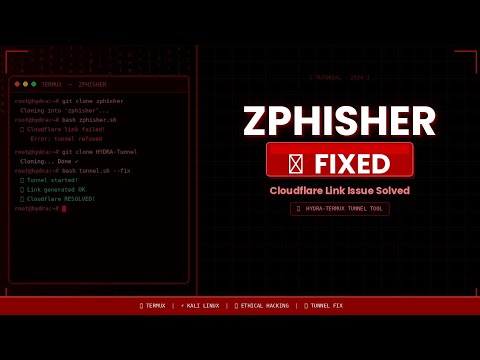
🎬 Click the thumbnail above to watch the full demo on YouTube
🔔 Subscribe to HYDRA TERMUX for more Termux & hacking tools

Full boot sequence → menu → live tunnel URL — generated automatically
📌 Pro tip: Replace
tunnel_demo.gifwith a real recording using the includedrecord_demo.shscript for a 1:1 authentic demo.
| Feature | Description |
|---|---|
| 🌐 Zero Config Tunneling | Expose localhost to a public HTTPS URL instantly via Cloudflare |
| 🎭 URL Masking | @-Trick masking to disguise your tunnel URL with a custom domain preview |
| 🤖 Auto Dependency Install | Detects and installs curl & unzip via pkg, apt, pacman, or dnf |
| 📦 Smart Cloudflared Installer | Auto-detects CPU architecture (arm64, armv7, x86_64, i386) and downloads the right binary |
| ⚡ Animated Boot Sequence | Stylish ASCII art intro with progress bar and spinner animation |
| 🎛️ Interactive Menu | Clean terminal UI to start tunnel or change host/port on the fly |
| 🔄 Multi-Platform Support | Works on Termux, Ubuntu, Debian, Arch, Fedora, and most Linux distros |
| 🛡️ Safe Signal Handling | Gracefully handles Ctrl+C and cleans up background processes |
# 1. Clone the repository
git clone https://github.com/HYDRA-TERMUX/Tunnel.git

# 2. Navigate to the folder
cd tunnel

# 3. Give execute permission
chmod +x tunnel.sh

# 4. Run the tool
bash tunnel.sh
✅ That's it! The script handles everything else automatically.
# Update packages
pkg update -y && pkg upgrade -y

# Install git
pkg install git -y

# Clone and run
git clone https://github.com/HYDRA-TERMUX/Tunnel.git
cd tunnel
bash tunnel.shsudo apt update && sudo apt install git curl unzip -y
git clone https://github.com/HYDRA-TERMUX/Tunnel.git
cd tunnel
bash tunnel.shsudo pacman -S git curl unzip --noconfirm
git clone https://github.com/HYDRA-TERMUX/Tunnel.git
cd tunnel
bash tunnel.shsudo dnf install git curl unzip -y
git clone https://github.com/HYDRA-TERMUX/Tunnel.git
cd tunnel
bash tunnel.sh ════════════════════════════════════════
TUNNEL • HYDRA TERMUX • v1.0.0
════════════════════════════════════════
Host : 127.0.0.1 Port : 8080
[1] Start Cloudflared Tunnel
[2] Change Host / Port
[0] Exit
[-] Select: _
- Run
bash tunnel.sh - Select [1] to start the tunnel
- Wait for the public URL to appear
- (Optional) Add a custom mask domain when prompted
Select [2] from the main menu to set a custom host/port:
# Default values
HOST = 127.0.0.1
PORT = 8080

# Example: expose a Flask app on port 5000
HOST = 127.0.0.1
PORT = 5000When your tunnel is live, the script will ask:
[?] Add @-Trick URL masking? [y/N]:
If you answer y, enter a domain like https://google.com.
Your masked link will look like:
https://google.com@abc123.trycloudflare.com
⚠️ The preview showsgoogle.combut the real URL still appears in the browser address bar.
tunnel/
├── tunnel.sh           # Main script
├── .server/
│   ├── cloudflared     # Auto-downloaded Cloudflare binary
│   └── .cld.log        # Tunnel process log (auto-created)
└── README.md
┌─────────────────────────────────────────────────────────┐
│                    HOW TUNNEL WORKS                     │
├──────────────┬──────────────────┬───────────────────────┤
│   Your App   │  tunnel.sh runs  │  Cloudflare Network   │
│              │  cloudflared     │                       │
│  localhost   │ ──────────────►  │  trycloudflare.com    │
│  :8080       │   Secure Tunnel  │  Public HTTPS URL     │
└──────────────┴──────────────────┴───────────────────────┘
- Script downloads
cloudflaredbinary for your CPU architecture - Cloudflared creates an outbound-only encrypted tunnel to Cloudflare's edge
- Cloudflare assigns a random public
*.trycloudflare.comsubdomain - Traffic flows: Internet → Cloudflare Edge → Tunnel → Your localhost
🔒 No inbound ports opened. No router config. Works behind NAT, CGNAT, and firewalls.
| Requirement | Details |
|---|---|
| OS | Linux, Android (Termux), WSL2 |
| Shell | Bash 4.0+ |
| Network | Internet connection |
| Packages | curl, unzip (auto-installed if missing) |
| Binary | cloudflared (auto-downloaded) |
❌ Tunnel URL not found after 60s
# Delete the cached binary and retry
rm -f .server/cloudflared
bash tunnel.sh
Check your internet connection and ensure port outbound 443 is not blocked.
❌ Permission denied
chmod +x tunnel.sh
bash tunnel.sh
❌ cloudflared binary fails on Termux
The script will automatically try installing via pkg install cloudflared. If that also fails, install manually:
pkg install cloudflared -y❌ Script exits immediately
Make sure you're running with bash, not sh:
bash tunnel.sh   ✅
sh tunnel.sh     ❌
This tool is 100% free — but it runs on your support! 🙏
If this saved you time, please Subscribe and hit the 🔔 bell for more tools.
MIT License — Free to use, modify, and distribute.
Credits to HYDRA TERMUX must be maintained.
Made with 💚 by HYDRA TERMUX