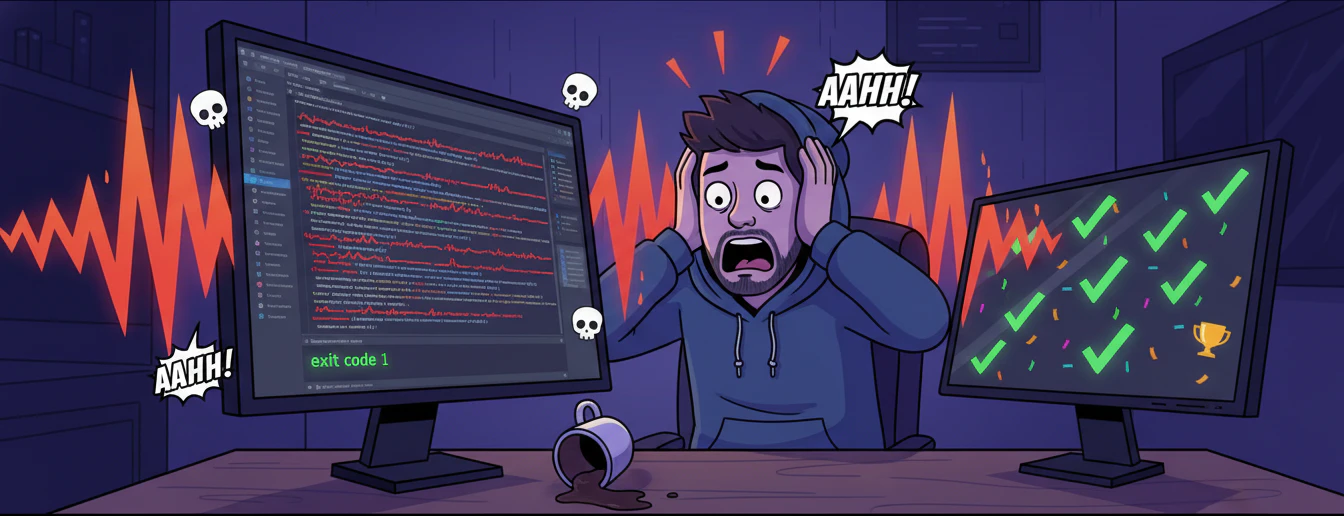
The ultimate VS Code extension that reacts to your code with sound — screams when things go wrong, celebrates when they go right. Terminal failures, red squiggles, broken saves, failed builds, crashed debuggers — nothing escapes the scream. Successful commands get a victory sound. Fully customizable with per-sound settings, funny toasts, escalation mode, waveform viewer, DND schedule, and more.


- ⚡ 5 Trigger Sources — terminal failures, diagnostic errors, save-with-errors, task failures, debug session crashes
- 🔊 Instant Playback —
sound-playnpm for ~50ms latency (no shell spawn) - 🎵 Sound Library — import
.mp3files, per-sound volume/speed/pitch/reverse - 🎲 Random Sound Mode — separate random toggles for error and success sounds
- 🎉 Success Sounds — plays a different sound when commands succeed (exit code 0)
- 😱 Funny Toasts — 15 randomized hilarious roast messages on every scream
- 🔥 Escalation Mode — sound gets louder and faster as your error streak grows
- 🌙 Do Not Disturb — schedule quiet hours (handles overnight windows)
- 📊 Stats & Counters — daily error count, current streak, lifetime scream counter
- 🎨 Settings Webview — a full GUI panel to manage everything visually
- 📈 Waveform Viewer — visualize any sound file with Web Audio API
- 🔇 Quick Mute — suppress sounds without losing streak/stat tracking
- 🛡️ Guards — cooldown, ignored exit codes, error pattern detection
| Platform | Audio Engine | Status |
|---|---|---|
| Windows | sound-play (fast) → PowerShell MediaPlayer (fallback) |
✅ Fully supported |
| macOS | sound-play (fast) → afplay (fallback) |
✅ Fully supported |
| Linux | sound-play (fast) → ffplay / paplay / aplay (fallback) |
✅ Fully supported |
Advanced audio processing (speed, pitch, reverse) requires ffmpeg on all platforms.
- Download
error-screamer-2.3.0.vsix - In VS Code:
Ctrl+Shift+P→ Extensions: Install from VSIX... - Select the file → reload VS Code
- Turn your speakers on and write bad code 😈
git clone https://github.com/DhakadG/ErrorScreamer.git
cd error-screamer
npm install
# Press F5 in VS Code to launch Extension Development HostThe core trigger. Every time a terminal command exits with a non-zero code, it screams.
Example:
- Open the integrated terminal
- Run
ls nonexistentorexit 1 - 🔊 SCREAM!
Also supports error pattern detection — scan terminal output for keywords like
Error:,Traceback, etc. even when exit code is 0. Enable viaerrorScreamer.errorPatternDetectionEnabled.
Watches your code in real-time. The moment a new Error-severity diagnostic (red squiggle) appears, it screams. Uses a 150ms debounce to avoid spam while typing, and resets its baseline when you switch files.
Example:
- Open any
.js,.ts,.pyfile - Type something broken like
const = ; - The moment VS Code shows the red squiggle → 🔊 SCREAM!
Only screams when errors increase. Fixing errors does not trigger it.
To turn off: Set errorScreamer.playOnDiagnostics to false.
Every time you press Ctrl+S, it checks if the saved file still has Error-severity diagnostics. If it does — scream.
Example:
- Have a file open with red squiggles
- Press
Ctrl+S - 🔊 Caught!
To turn off: Set errorScreamer.playOnSave to false.
When a VS Code Task (build scripts, test suites, etc.) exits with a non-zero code, it screams.
How to trigger:
Ctrl+Shift+B(Run Build Task) orTerminal → Run Task- If the task fails → 🔊 SCREAM!
To turn off: Set errorScreamer.playOnTaskFailure to false.
When a debug session terminates (crash, exception, stopped), it screams.
How to test:
- Create
test.pywith1/0 - Press
F5to debug - Python crashes with
ZeroDivisionError→ 🔊 SCREAM!
To turn off: Set errorScreamer.playOnDebuggerCrash to false.
When showErrorToast and funnyToasts are both enabled, each scream shows a random hilarious roast:
| 😱 AAAHHHHHH! You broke it again! | 💀 RIP your code. Rest in errors. |
| 🚨 ERROR DETECTED. INITIATING SCREAM PROTOCOL. | 🤦 Have you tried turning your brain off and on again? |
| 🔥 Your code just burst into flames! | 🫠 The code is melting... MELTING! |
| 📢 ATTENTION: Your code has committed a crime! | 😂 It's not a bug, it's a ✨ feature ✨ |
| 🧨 KABOOM! Another error explosion! | ☠️ Your code just ragequit. |
...and more! (15 total)
The more you mess up, the louder and faster it gets.
- Enable
errorScreamer.escalationEnabled - Set a threshold (default: 3 consecutive errors)
- Each tier above threshold adds volume boost + speed boost
- Status bar shows
$(flame) Escalation tier N!
Don't want screams during a late-night meeting?
- Enable
errorScreamer.doNotDisturbEnabled - Set start/end times (e.g.
23:00→08:00) - Sounds are silently suppressed during those hours
- Handles overnight windows correctly
Ctrl+Shift+P→ Error & Success Reactor: Toggle On/Off — master switchCtrl+Shift+P→ Error & Success Reactor: Quick Mute — mutes sounds, but streak/stats still track
Ctrl+Shift+P→ Error & Success Reactor: Import Sound File — opens a file picker for.mp3and asks which category (Error or Success)- Or drop any
.mp3intosounds/errors/orsounds/success/— it appears automatically - Use Error & Success Reactor: Select Error Sound to set the active error sound
- Each sound has its own Volume / Speed / Pitch / Reverse / Label — all configurable in the Settings panel
Folder structure:
sounds/
  errors/        ← error sounds (.mp3)
    aahh.mp3
    fahhhh.mp3
    ...
  success/       ← success sounds (.mp3)
    mission-passed.mp3
    ...
v2.3.0 Additions:
ultrakill-explosion— epic explosion effectankle-breakage— bone-crunching soundcore-sound-effect— sci-fi core blastcritical-hit-sounds-effect— gaming critical hitweird-smoosh-effect— abstract error squelchmakabhosda-aag— Indian comedy meme
Complete Error Sound Library: Includes everything from meme classics (vine-boom, "daddyy chill", "why are you running") to emergency alerts (ambulance siren, undertaker's bell), comedy sounds (crickets chirping, cartoon elements), and new v2.3.0 effects for extra chaos.
v2.3.0 Additions:
cartel-song— iconic cartel victory themefast-and-furious-tokyo-drift— drift mode celebrationtu-tu-tu-du-max-verstappen— F1 victory anthemwhite-tee-rizz— confidence boost vibes
Complete Success Sound Library: From mission-passed classics to crowd cheers, phonk vibes, and anime celebrations — every code victory deserves recognition.
- Status bar (bottom-right) — shows current streak, mute state, escalation tier
- Daily stats — error count per day (last 7 days in the Settings panel)
- Lifetime scream counter — persistent across sessions, shown in Settings panel stats
- Click the status bar item to view today's stats
Ctrl+Shift+P→ Reset Lifetime Scream Counter to start fresh
Open VS Code Settings (Ctrl+,) and search errorScreamer:
| Setting | Type | Default | Description |
|---|---|---|---|
enabled |
boolean | true |
Master switch |
muted |
boolean | false |
Quick mute (stats still track) |
activeSound |
string | "aahh" |
Sound ID for errors (from sounds/errors/) |
successSound |
string | "mission-passed" |
Sound ID for success (from sounds/success/, empty = disabled) |
successCooldownSeconds |
number | 5 |
Seconds between success sounds |
randomErrorSound |
boolean | false |
Random sound per error |
randomSuccessSound |
boolean | false |
Random sound per success |
cooldownSeconds |
number | 3 |
Seconds between error sounds |
showErrorToast |
boolean | false |
Show notification after each sound |
funnyToasts |
boolean | true |
Use funny randomized messages in toasts |
| Setting | Type | Default | Description |
|---|---|---|---|
playOnDiagnostics |
boolean | true |
Scream on new diagnostic errors |
playOnSave |
boolean | true |
Scream on save-with-errors |
playOnTaskFailure |
boolean | true |
Scream on task exit ≠ 0 |
playOnDebuggerCrash |
boolean | true |
Scream on debug session end |
diagnosticDebounceMs |
number | 150 |
Debounce for diagnostics (ms) |
| Setting | Type | Default | Description |
|---|---|---|---|
errorPatternDetectionEnabled |
boolean | false |
Scan terminal output for keywords |
errorPatterns |
array | ["error:", "Error:", ...] |
Keywords to match |
ignoredExitCodes |
array | [] |
Exit codes to skip |
| Setting | Type | Default | Description |
|---|---|---|---|
escalationEnabled |
boolean | false |
Auto-boost on streak |
escalationThreshold |
number | 3 |
Streak before escalation starts |
escalationVolumeBoost |
number | 0.2 |
Volume added per tier |
escalationSpeedBoost |
number | 0.3 |
Speed added per tier |
| Setting | Type | Default | Description |
|---|---|---|---|
doNotDisturbEnabled |
boolean | false |
Enable DND schedule |
doNotDisturbStart |
string | "23:00" |
Start time (24h) |
doNotDisturbEnd |
string | "08:00" |
End time (24h) |
Each sound has: Volume (0–1), Speed (0.5–4×), Pitch (0.5–2×), Reverse, Enabled, Custom Label.
Press Ctrl+Shift+P and type Error & Success Reactor:
| Command | What it does |
|---|---|
| Toggle On/Off | Master enable/disable |
| Quick Mute | Mute sounds (stats still track) |
| Select Error Sound | Pick from sound library |
| Test Current Sound | Play the current error sound |
| Adjust Current Sound Settings | Volume / Speed / Pitch dialog |
| Toggle Random Error Sound | Random error sound per error |
| Toggle Random Success Sound | Random success sound per success |
| Toggle Reverse Playback | Reverse the active sound |
| Enable/Disable Current Sound | Toggle sound in library |
| Edit Label for Current Sound | Custom display name |
| Import Sound File | Import .mp3 from disk |
| Open Waveform Viewer | Visualize waveform |
| View Today's Error Stats | Show today's count |
| Reset Lifetime Scream Counter | Reset to 0 |
| Open Settings | Full settings webview panel |
Error & Success Reactor hooks into five VS Code native APIs simultaneously:
| # | API | Trigger |
|---|---|---|
| 1 | vscode.window.onDidEndTerminalShellExecution |
Terminal command finishes (exit code + pattern matching) |
| 2 | vscode.languages.onDidChangeDiagnostics |
Red squiggles increase while typing (150ms debounce + delta check) |
| 3 | vscode.workspace.onDidSaveTextDocument |
File saved with errors |
| 4 | vscode.tasks.onDidEndTaskProcess |
VS Code task exits non-zero |
| 5 | vscode.debug.onDidTerminateDebugSession |
Debug session terminates |
All triggers route through a shared guard chain: enabled → muted → DND → cooldown → play → toast → escalation → stats.
Playback pipeline:
- Fast path —
sound-playnpm (~50ms, no shell spawn) for normal playback - Slow path — platform-specific shell commands with ffmpeg for speed/pitch/reverse
npm test          # 130 unit tests
npm run lint      # ESLint
Tests cover: pattern matching, audio filter chains, platform command builders, atempo decomposition, toast pool validation, category-aware sound discovery, and more.
npm install -g @vscode/vsce
vsce package --out builds/
VSIX Size Breakdown (5.7 MB):
The extension ships with a comprehensive audio library to ensure out-of-the-box entertainment:
| Component | Size | Purpose |
|---|---|---|
| Error Sounds (52 files) | ~4.2 MB | Diverse error reactions: memes, effects, alarms, comedy |
| Success Sounds (15 files) | ~1.1 MB | Victory celebrations: anime, music, crowd cheers |
| Core Code + Dependencies | ~0.3 MB | sound-play npm + extension logic |
| Metadata & Assets | ~0.1 MB | Icons, badges, config files |
Why so many sounds? No two debugging sessions are alike. Our curated library balances hilarity with audio variety — from trending memes to epic sound effects — so users never get tired of the scream. Each sound is MP3-compressed for delivery efficiency while maintaining quality for immediate playback.
MIT © Error & Success Reactor Contributors
PRs, issues, and feature requests welcome!