Name
Borderless Compact Mode
Description
Removes borders, shadows & rounded corners in compact mode for a true edge-to-edge experience.
Homepage
https://github.com/kian1991/bordeless-compactmode
Image
https://raw.githubusercontent.com/kian1991/bordeless-compactmode/main/screenshot.png
Type
Theme Styles
@media (-moz-bool-pref: "mod.kian1991.enable") {
  /* ============================================
     Borderless Compact Mode for Zen Browser
     ============================================ */
  /* Only apply when Zen's compact mode is active */
  :root[zen-compact-mode="true"] {
    /* 1. Remove all margins around the browser content wrapper
          so the webview touches the window edges */
    #zen-tabbox-wrapper {
      margin: 0 !important;
    }
    /* 2. Remove the gap at the top where the collapsed toolbar lives */
    #zen-appcontent-navbar-wrapper:not(
        :is([zen-has-hover], [has-popup-menu], [zen-compact-mode-active])
      ) {
      height: 0 !important;
    }
    /* 3. Remove rounded corners and drop-shadow from the webview container */
    .browserSidebarContainer {
      border-radius: 0 !important;
      box-shadow: none !important;
    }
    /* 4. Remove border/shadow from floating sidebar / toolbar backgrounds */
    .zen-toolbar-background {
      box-shadow: none !important;
      outline: none !important;
      border-radius: 0 !important;
    }
    .zen-toolbar-background::before,
    .zen-toolbar-background::after {
      outline: none !important;
      border-radius: 0 !important;
    }
    /* 5. Make the floating sidebar flush with screen edges */
    #navigator-toolbox:not([animate="true"]) {
      --zen-compact-float: 0px !important;
      padding: 0 !important;
      bottom: 0 !important;
    }
    /* 6. Remove padding inside the sidebar so tabs touch the edge */
    #navigator-toolbox:not([animate="true"]) #titlebar {
      padding: 0 !important;
    }
    /* 7. Remove extra top margin from titlebar in multi-toolbar setups */
    &:not([zen-single-toolbar="true"]) #titlebar {
      margin-top: 0 !important;
    }
    /* 8. Remove nav-bar side margins that create gaps when window
          controls are reversed */
    #zen-appcontent-navbar-wrapper #nav-bar {
      margin-left: 0 !important;
      margin-right: 0 !important;
    }
  }
}
Readme
# Borderless Compact Mode
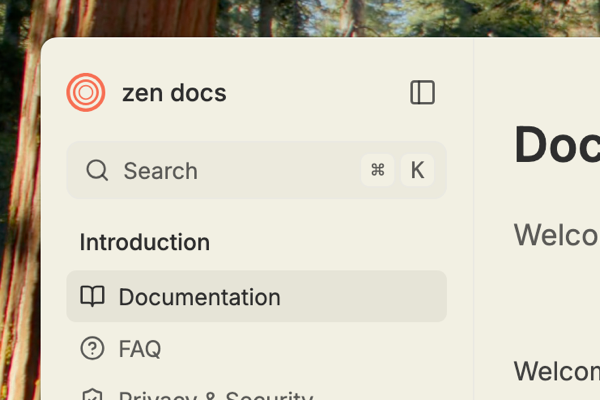
A Zen Browser theme that removes all borders, shadows, and rounded corners when in **Compact Mode**, giving you a true edge-to-edge browsing experience.
## Features
- **Edge-to-edge webview** — Removes all margins around the browser content so websites touch the window edges
- **Zero rounded corners** — Flattens the browser container and sidebar for a sharp, modern look
- **No shadows or borders** — Removes drop shadows and outlines from floating toolbars and sidebars
- **Sidebar flush to edge** — Makes the compact mode sidebar touch the screen edge instead of floating
- **Collapsible top toolbar** — Completely hides the top toolbar placeholder when collapsed
## Requirements
- Zen Browser Compact Mode must be enabled for this theme to take effect
Preferences
[{"property":"mod.kian1991.enable","label":"Enable Borderless Compactmode","type":"checkbox","defaultValue":true}]
Name
Borderless Compact Mode
Description
Removes borders, shadows & rounded corners in compact mode for a true edge-to-edge experience.
Homepage
https://github.com/kian1991/bordeless-compactmode
Image
https://raw.githubusercontent.com/kian1991/bordeless-compactmode/main/screenshot.png
Type
Theme Styles
Readme
Preferences
[{"property":"mod.kian1991.enable","label":"Enable Borderless Compactmode","type":"checkbox","defaultValue":true}]