 PingCAP
SSH errors when installing a new TiDB cluster (v6.5.0) #66423

Replies: 5 comments

|
原帖作者:crazycs520\n原帖时间:2023-01-30 08:34:56.499249\n\n you should use the users with |
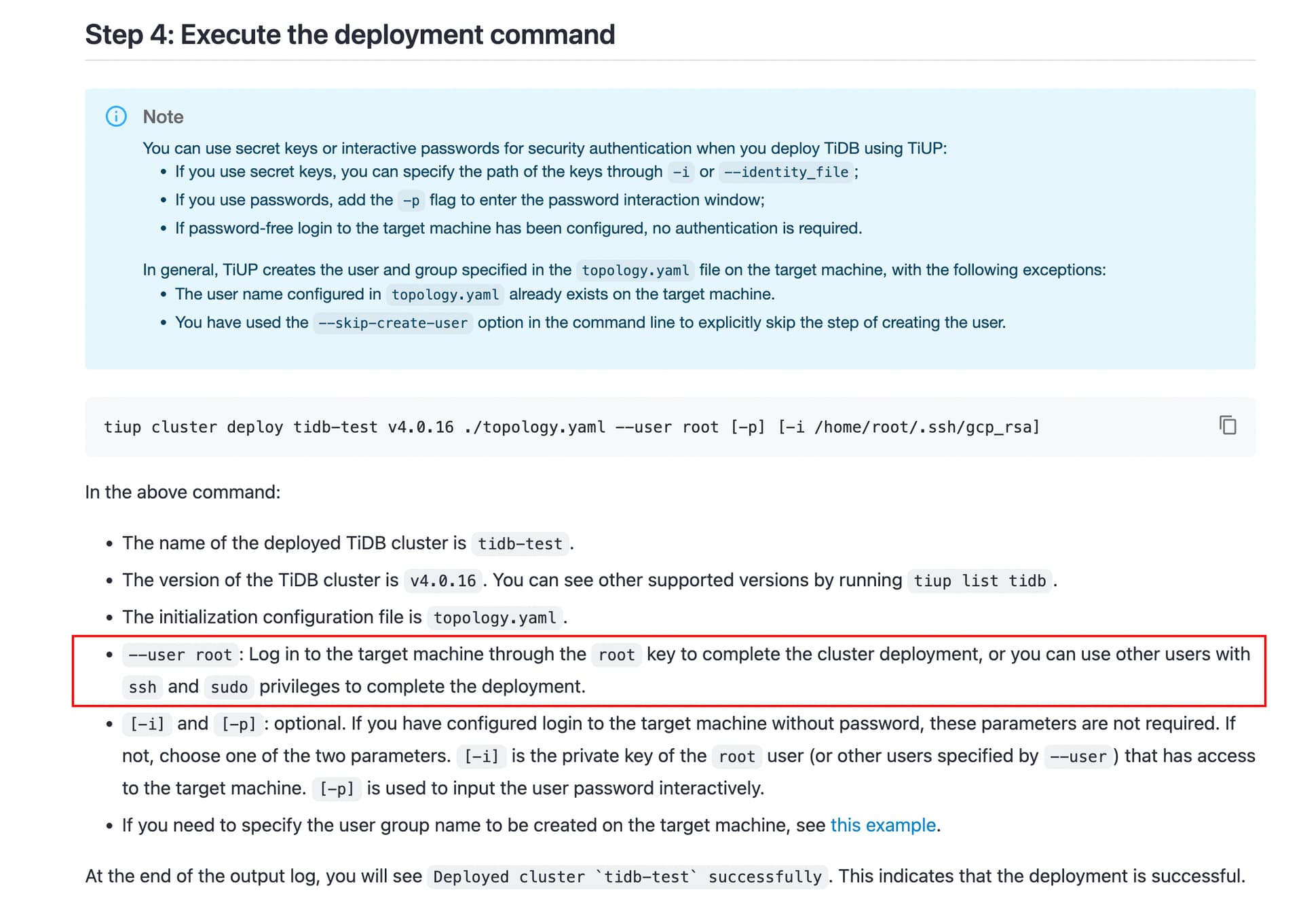
|
原帖作者:TomCoates8161\n原帖时间:2023-01-30 15:13:19.356142\n\n The user |
|
原帖作者:crazycs520\n原帖时间:2023-01-31 14:48:12.480492\n\n The error is I think you should use following command with |
|
原帖作者:dveeden\n原帖时间:2023-01-31 15:01:17.1938\n\n Depending on the TiUP version etc. it might be that |
|
原帖作者:TomCoates8161\n原帖时间:2023-01-31 17:04:33.446071\n\n Many thanks for your help @crazycs520 and @dveeden. Based on what you told me, I figured out what was wrong. The user It might be a good idea to make a tiny edit to the documentation, replacing “users with Thank you again! |


Uh oh!
There was an error while loading. Please reload this page.
原帖作者:TomCoates8161\n原帖时间:2023-01-30 08:25:14.306617\n原帖ID/Slug:202 / ssh-errors-when-installing-a-new-tidb-cluster-v6-5-0\n\n
Application environment:
Linux AMD64 cluster with all nodes running Ubuntu 20.04.5 LTS
TiDB version:
v6.5.0
Reproduction method:
Follow the installation instructions here: Deploy a TiDB Cluster Using TiUP | PingCAP Docs as far as Step 4. The problem arises in Step 4, when I do:
tiup cluster deploy tidb-cluster v6.5.0 machines/tidb/tidb-config.yaml --user fano
Here
fanois the name of the user I will be running the cluster as. I have set up passwordless login for this user to all nodes.Problem:
Deployment fails with:
Error: failed to fetch cpu-arch or kernel-name: executor.ssh.execute_failed: Failed to execute command over SSH for ‘fano@fs-9:22’ {ssh_stderr: sudo: a terminal is required to read the password; either use the -S option to read from standard input or configure an askpass helper
, ssh_stdout: , ssh_command: export LANG=C; PATH=$PATH:/bin:/sbin:/usr/bin:/usr/sbin /usr/bin/sudo -H bash -c “uname -m”}, cause: Process exited with status 1
This happens in the step “Detect CPU Arch Name”.
I get exactly the same error if I add the “-p” option to the “tiup cluster deploy…” command above: it asks for the SSH password and then fails with exactly the same error, at exactly the same point.
I also get exactly the same error if I add the “–ssh system” flag to the “tiup cluster deploy…” command above, and also if I add both options: “–ssh system -p”. In each case it fails with exactly the same error, at exactly the same point.
Please advise!
Resource allocation:
192Gb RAM, 8Tb hard disk.
Attachment:
n/a
All reactions