



This template has a main menu, options menus, pause menu, credits, scene loader, extra tools, and an example game scene.
For Godot 4.7 (4.4+ compatible)
Setup menus and accessibility features in about 15 minutes.
The template can be the start of a new project, or plug into an existing one. It is game agnostic (2D or 3D) and can work with multiple target resolutions, up to 4k and down to 640x360. It's meant to cover the needs for a typical game jam, while remaining scalable and extensible enough to support commercial games.
Users that want a minimal set of features can try Maaack's Minimal Game Template or other options from the plugin suite.
Maaack's Game Template is available in both the Godot Asset Library and the Godot Asset Store. It is available as both a template and a plugin, meaning it can be used to start a new project, or added to an existing project.
While in the Godot Project Manager:
- Go to the Asset Store tab.
- Search for "Maaack's Game Template".
- Click on the result to open the template details.
- Click to Download.
- Give the project a new name and destination.
- Click to Install & Edit.
- Continue with the Basic Setup.
While editing a project in Godot:
- Go to the Asset Store tab.
- Search for "Maaack's Game Template Addon".
- Click on the result to open the plugin details.
- Click to Download.
- Check that contents are getting installed to
addons/and if there are any conflicts.
Conflicts that are safe to ignore:addons/plugin_updater/
- Click to Install.
- Reload the project (you may see errors before you do this).
- Enable the plugin from the Project > Project Settings > Plugins tab.
- If it's enabled for the first time, the setup wizard will start.
- Close the window behind it and complete the setup wizard.
- Continue with the Basic Setup.
Basic Setup is done through the setup wizard at Project > Tools > Run Maaack's Game Template Setup....
As part of setup, example scenes are copied out of /addons/ into a desired folder (project root by default). These can be edited to fit requirements.
Feature List
Main Menu Setup
Options Menu Setup
Game Scene Setup
Updating Credits
Blending Music
Adding UI Sound Effects
Loading Scenes
Input Icon Mapping
Joypad Inputs
Game Saving
How Parts Work
Moving Files
Uploading to itch.io
Build and Publish Your Game Using CICD
Automatic Updating
Exhibiting Your Game
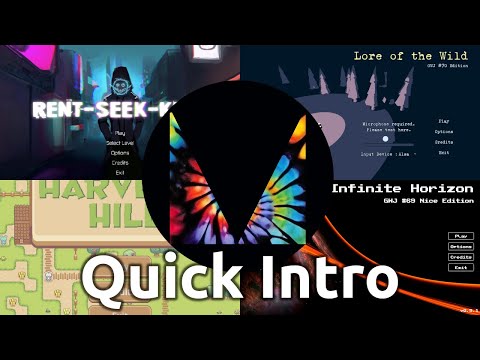


| HeartFix Express | Baking Godium | Rent Seek Kill |
|---|---|---|
 |
 |
 |
| Find on Steam | Play on itch.io | Play on itch.io |
Join the Discord server and share your work with others. It's also a space for getting or giving feedback, and asking for help.
Attribution
License
Godot Asset Store - Template
Godot Asset Store - Addon
Godot Asset Library - Template
Godot Asset Library - Plugin